

สวัสดีครับ เราจะเริ่มจากการติดตั้ง PlatformIO และการสร้าง Project สำหรับทำงานในบทถัด ๆ ไปนะครับ
Intro
PlatformIO เป็นซอฟแวร์แบบเปิด (Open Source) สำหรับพัฒนาระบบ IoT แบบ Cross-platform ซึ่งจะช่วยให้เราพัฒนาระบบ IoT ของเราบนบอร์ดทดลองใด ๆ ก็ได้โดยที่ใช้เพียงซอฟแวร์ตัวนี้ตัวเดียว
Install PlatformIO for VSCode
- เปิด VSCode
Extension - Search หา
PlatformIO IDE - กด
Install
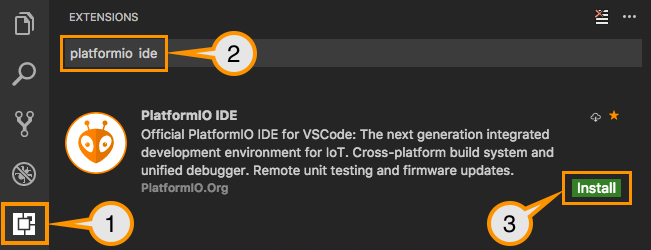
Install PlatformIO for VSCode
Setting Up the Project
- กดปุ่ม
PlatformIO: Homeที่ PlatformIO Toolbar
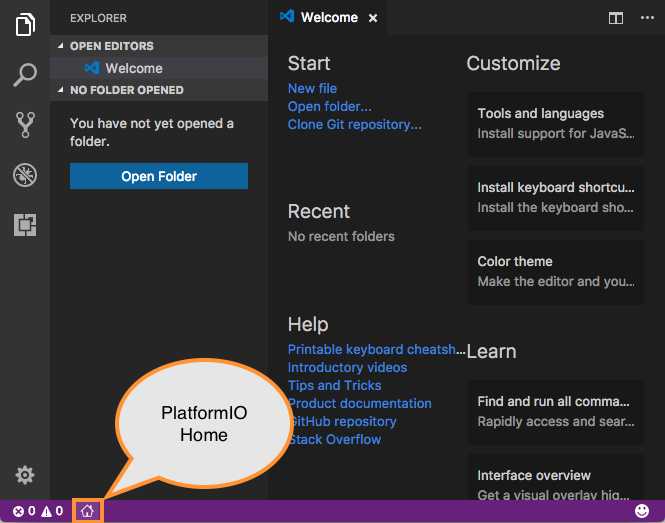
PlatformIO: Home
- กด
New Projectเลือก BoardWEMOS LOLIND32 PROและ FrameworkArduinoจากนั้นกด Finish

Create Project
- โดยเราจะแก้ไขโค้ดของเราได้ที่
main.cppในโฟลเดอร์srcซึ่งในตอนแรกจะมีโค้ดดังนี้
src/main.cpp
#include <Arduino.h>

void setup() {
  // put your setup code here, to run once:
}

void loop() {
  // put your main code here, to run repeatedly:
}
- สามารถกดปุ่ม
BuildและUploadได้ที่ PlatformIO Toolbar
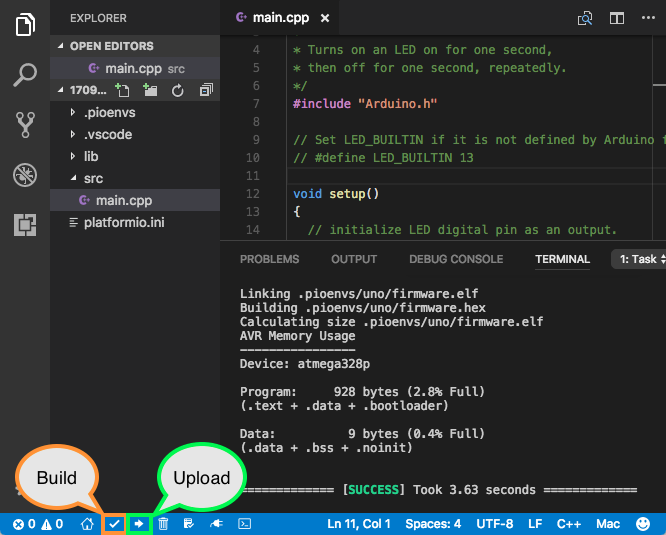
Build and Upload Project
Install library
กดที่PIO Home -> Open
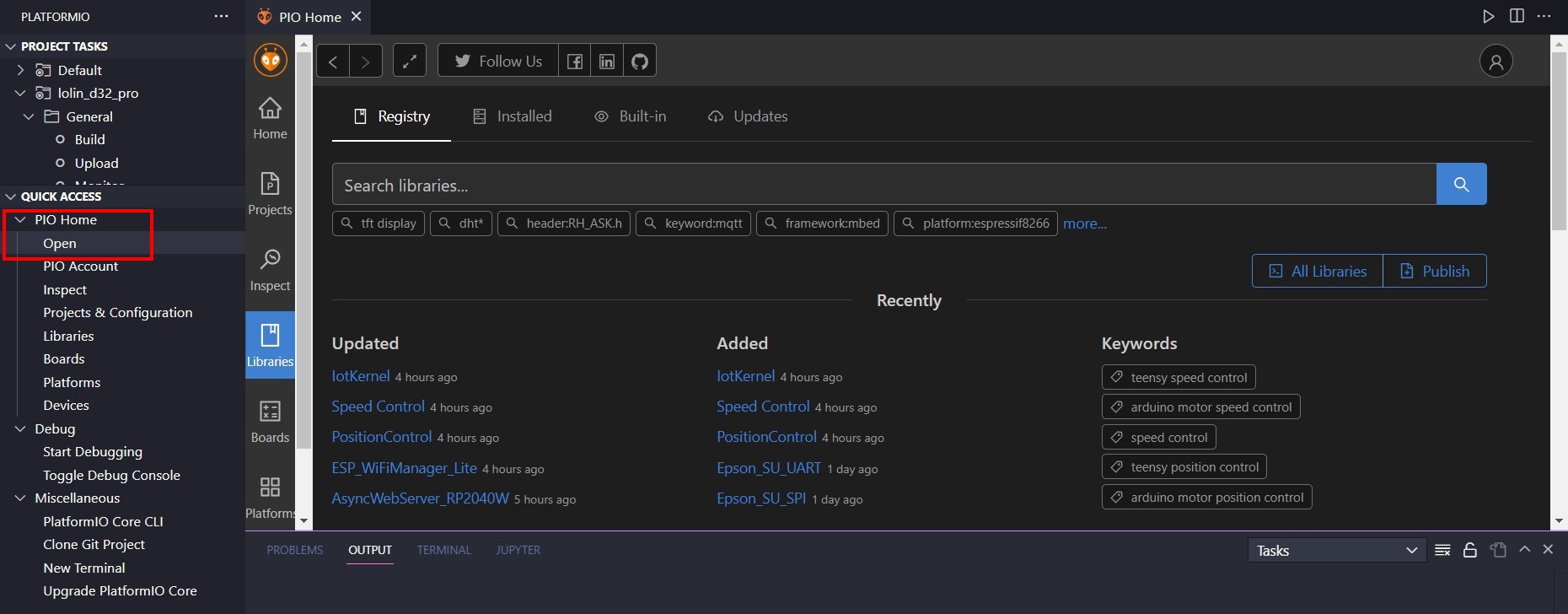
กดที่library
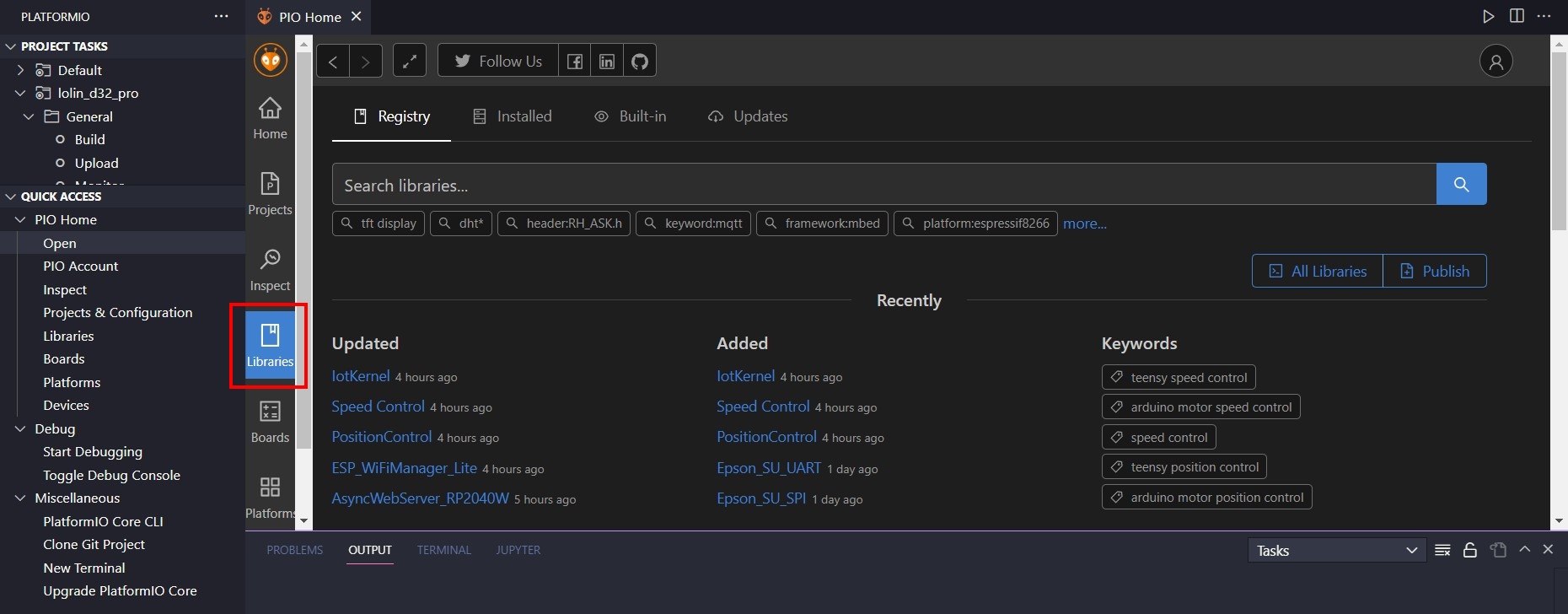
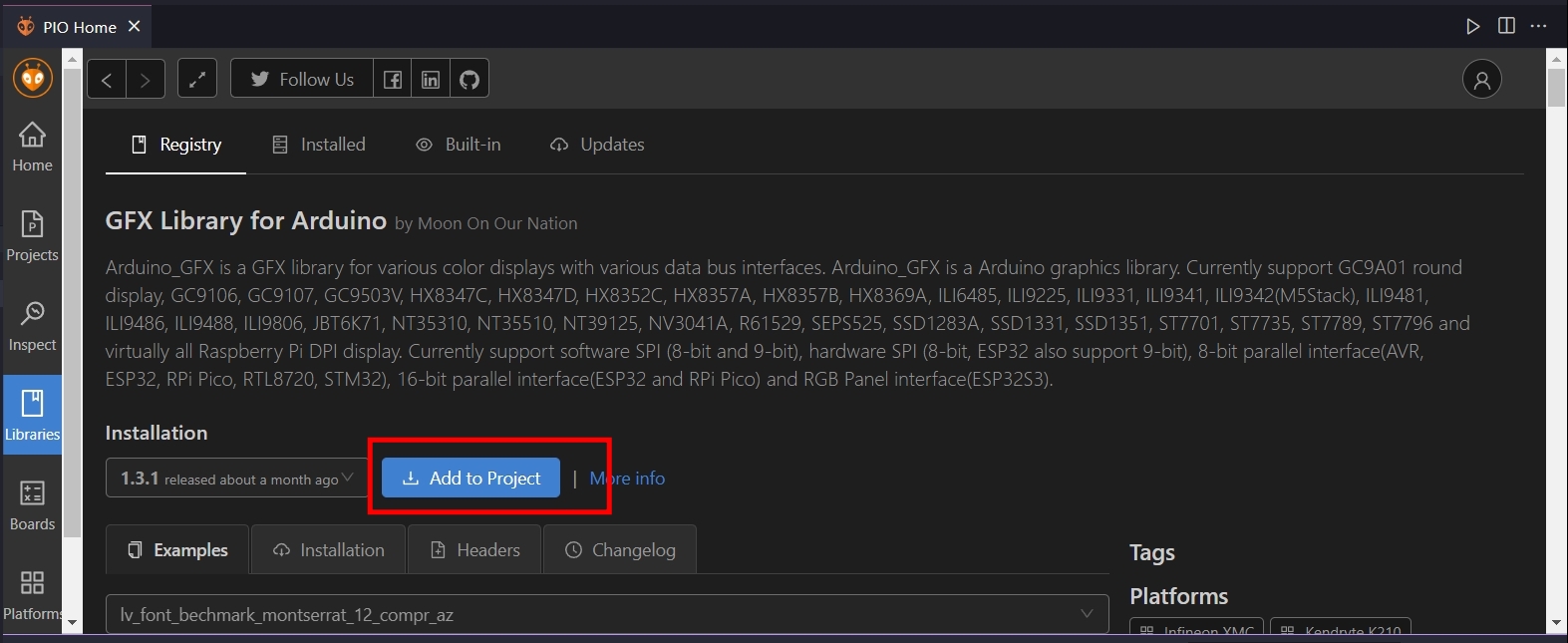
จากนั้นกดหาlibraryที่จะลง จากนั้นกดAdd to Project
Serial Port Monitor
หาไฟล์ชื่อ
platformio.ini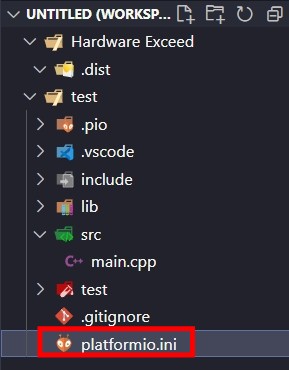
เพิ่มcodeนี้เพิ่มเข้าไป
upload_speed = 460800
monitor_speed = 115200
ตรวจสอบอุปกรณ์ภายในกล่อง
น้องๆ ควรได้รับอุปกรณ์ 1 กล่อง / กลุ่ม (2 คนใช้ร่วมกัน) โดยอุปกรณ์ภายในกล่องมีดังนี้ หากได้อุปกรณ์ไม่ครบดังรายการต่อไปนี้ ขอให้แจ้ง TA บริเวณนั้นได้เลย
| ชื่ออุปกรณ์ | จำนวน |
|---|---|
| ตัวต้านทาน 330Ω | 3 |
| ตัวต้านทาน 10kΩ | 1 |
| LED สี แดง เหลือง เขียว | สีละ 1 ตัว |
| LDR | 1 |
| Button 4 ขา | 1 |
| Breadboard ตัวเล็ก | 1 |
| สาย USB-A to micro | 1 |